mpobig Casino Mobile App
We at mpobig offer mobile access to our sportsbook, live-dealer tables, slot games, and esports markets through three pathways: Android APK download, iOS web browser, and responsive web application. Each method gives you full account access, deposit and withdrawal support via DANA, e-wallet, mobile banking, local payment, online payment, e-wallet, and bank virtual accounts (mobile banking, local payment, online payment, e-wallet), and real-time market updates across Liga 1, Champions League, badminton, MotoGP, blackjack, roulette, baccarat, Dragon Tiger, Aviator, Sweet Bonanza, and esports tournaments.

- and
- Installin
- StartFirst Game
- DownloadAPK
Mobile-first design matters on our platform because most users access mpobig from smartphones rather than desktop browsers. Our app paths are optimised for touchscreen navigation, fast loading on variable network speeds, and secure local storage of authentication tokens. Whether you choose Android APK or a browser-based experience, the underlying account, betting history, and payment methods remain synchronised.
The choice between Android APK, iOS browser, and web app depends on your device, security preferences, and offline needs. Below we outline each option, installation steps, device requirements, and troubleshooting for common issues.
Download and Access Options on mpobig
We at mpobig maintain three primary access routes to ensure compatibility across device types and user preferences. The Android APK is a direct download suitable for devices running Android 7 or later; it includes offline features and push notifications for market updates. The iOS web browser path allows iPhone and iPad users to access mpobig through Safari or Chrome without app-store installation, loading a responsive web interface that mirrors all account and betting functionality. Our responsive web application works on any device with a modern browser (Chrome, Firefox, Safari, Edge) and requires no installation—simply visit mpobig.app and sign in to your account.
All three paths access the same account
Your username, password, betting history, account balance, and payment methods are synchronised across Android APK, iOS browser, and web app. You can switch between them without re-registering.
Installation and Setup
-
Download the mpobig APK or open the web browser
For Android, download the mpobig APK from our download link; for iOS, open Safari and navigate to mpobig.app; for web, visit mpobig.app from any device.
-
Allow permissions or install the app
Android users grant install permissions if prompted; browser users proceed directly to the login page.
-
Sign in or create an account
Enter your username and password, or open a new account with your email, mobile number, and identity verification.
-
Deposit funds and start playing
Choose your payment method (DANA, e-wallet, mobile banking, local payment, online payment, e-wallet, or bank virtual account) and deposit to access sportsbook, live-dealer, slot, and esports markets.
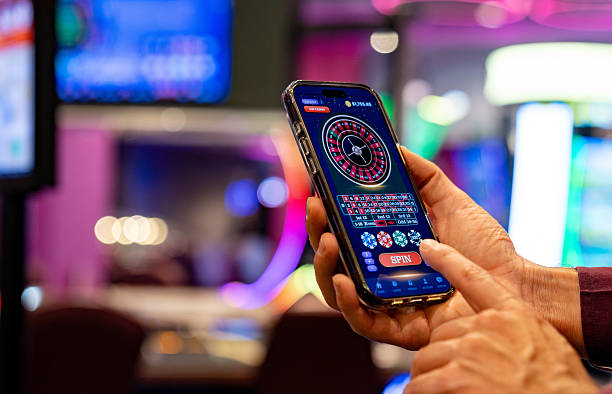
Android APK App versus Browser Access
Our Android APK offers several advantages over browser access. The app caches game and market data locally, allowing you to browse past results and upcoming fixtures even without a network connection. Push notifications alert you to live-game updates, withdrawal confirmations, and account security events in real time. The app's interface is optimised for touchscreen gestures—swipes to navigate sections, taps to place bets, two-finger zoom for odds. Browser access on iOS and Android is equally secure but relies on your internet connection and does not cache data offline. Choose the APK if you value offline features and instant notifications; choose the browser if you prefer no installation or frequent device switching.
Device Requirements and Compatibility
We at mpobig support Android devices running version 7.0 or later; this covers the vast majority of smartphones in circulation. iOS users access mpobig through Safari, Chrome, or any modern browser on iPhone or iPad running iOS 12 or later. Web browsers on Windows, macOS, and Linux require Chrome 90+, Firefox 88+, Safari 14+, or Edge 90+ for full compatibility. Our responsive design adapts to screens from 320 pixels wide (small phones) to 2560 pixels wide (large monitors), though the optimal experience is on screens between 400 and 1200 pixels.
Troubleshooting Common Installation Issues
Android users may encounter a security warning when installing the APK because it comes from an external source rather than Google Play Store. To proceed, enable "Unknown sources" in your device's Settings > Security, then retry the installation. If your device blocks the APK based on Play Protect, you can temporarily disable Play Protect in Google Play Store settings. iOS users installing mpobig through Safari may see a "Cannot open" alert; this is normal—go to Settings > General > VPN & Device Management, find the mpobig certificate, and tap Trust. Web browser users experiencing slow loading should clear their browser cache (Settings > Clear browsing data > Cookies and cached images) and try again. If markets fail to load, check your internet connection and ensure you have not reached your browser's session timeout—sign out and sign back in to refresh your session.

Data, Permissions, and Account Security
We at mpobig encrypt all communication between your device and our servers using TLS 1.2 or higher. The Android APK requests permissions for internet access, camera (for identity verification during account setup), and notifications—all of which are necessary for full platform functionality. We do not request access to your contacts, location, or other personal data unrelated to account management. Your password, account balance, and betting history are never stored in plaintext on your device. If you lose your device, you can sign in from another device and change your password immediately; your old device will be signed out automatically after a timeout period. For standard security practices on shared devices, always sign out before handing your device to another user.
Mobile-first access to mpobig ensures you can manage your account, check game information, and process withdrawals from anywhere—as long as you are in a jurisdiction where our services are lawfully available.
What You Can Do on the mpobig Mobile App
On mpobig's mobile platform, you have full access to our sportsbook—placing bets on Liga 1, Piala Indonesia, Champions League, Premier League, badminton, and MotoGP with game information and in-play settlement. You can join live-dealer tables (blackjack, roulette, baccarat, Dragon Tiger) with real dealers streamed in HD, and play slot games (Aviator, Sweet Bonanza, Gates of Olympus, Fortune Tiger, Mahjong Ways) with real-time payout tracking. Esports markets for Mobile Legends, Free Fire, and PUBG Mobile are updated throughout the day. You can deposit via mobile banking, local payment, online payment, e-wallet, mobile banking, local payment, or bank virtual accounts (online payment, e-wallet, mobile banking, local payment), and request withdrawals to the same method you deposited from. Your betting history, account balance, and verification status are visible in real time. Push notifications alert you to live-game starts, withdrawal status changes, and account-security events.
We at mpobig maintain the same payout odds, market rules, and account-security standards across all access methods. Whether you use Android APK, iOS browser, or web app, you are interacting with the same backend systems and the same customer-support team. Choose the access method that fits your device and workflow best; all paths deliver the full mpobig experience.